
OscarWatch SSTV
Pictures from space, decoded where you track the pass.
Catch SSTV pictures from cubesats such as UmKA-1, and from the ISS on 145.800 MHz FM during ARISS events. OscarWatch SSTV lives inside OscarWatch Tracker under Tools, so there is no separate decoder to install and it already knows which satellite is in focus. It is receive only and never transmits.
Free for Windows, macOS and Linux.
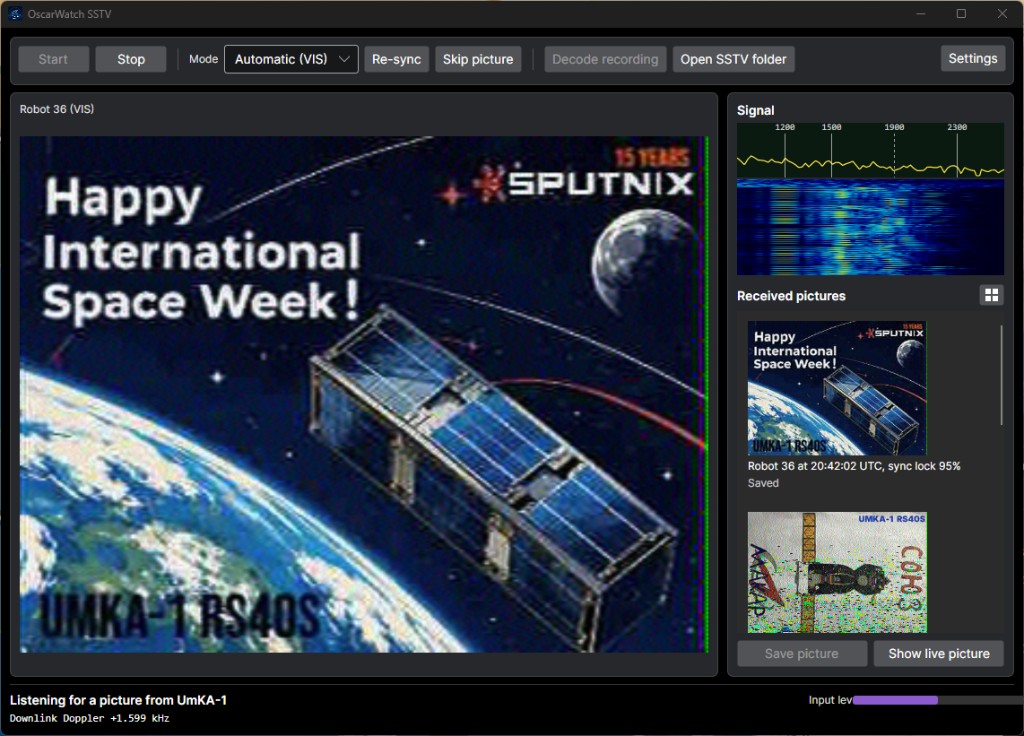
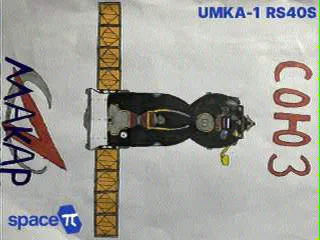
Pictures from space
Received with OscarWatch SSTV, straight from the satellite to the shack.


Satellites that send SSTV
These come from the OscarWatch transponder feed, the same list OscarWatch Tracker downloads. Pick the SSTV mode in the frequency panel and OscarWatch Tracker tunes the radio and follows the Doppler for you.
| Satellite | Mode | Downlink | Receive in |
|---|---|---|---|
| ISS | SSTV (VHF) | 145.800 MHz | FM |
| ISS | SSTV (UHF) | 437.550 MHz | FM |
| SONATE-2 | SSTV | 145.880 MHz | FM |
| QMR-KWT-2 | SSTV | 436.950 MHz | FM |
| Lobachevsky | SSTV / SSDV | 436.320 MHz | FMN |
| ArcticSat-1 | SSTV | 435.890 MHz | FM |
| Monitor-3 | SSTV | 435.290 MHz | FM |
| Monitor-4 | SSTV | 436.080 MHz | FM |
| UmKA-1 | SSTV | 437.625 MHz | FM |
| VIZARD-meteo | SSTV | 437.825 MHz | FM |
| SAKHACUBE-CHOLBON | SSTV | 437.350 MHz | FM |
| GALAPAGOS-UTE-SWSU | SSTV | 437.050 MHz | FM |
| JAMX01 | SSTV | 435.175 MHz | FM |
| UTMN-2 | SSTV | 436.125 MHz | FM |
The ISS sends SSTV during ARISS events, which are announced ahead of time on the ARISS website. Cubesats send pictures on a schedule set by their operators, so check their announcements before the pass.
Built for the pass
Everything that makes SSTV from space fiddly is handled for you, so you can watch the picture arrive.
The modes used from space
Robot 36 and 72, Scottie S1, S2 and DX, Martin M1 and M2, Wraase SC2-180, and PD 50 to 290. The ISS usually sends PD 120 or PD 180.
Automatic mode pick
The mode is read from the VIS header. If the header is lost low in the pass, the picture is still found from its sync pulses.
Straight pictures, true colours
Automatic slant correction keeps the picture upright, and AFC follows the tuning line by line. On SSB, leftover Doppler is removed too.
Starts when the satellite rises
Listening starts on its own as the focused satellite climbs through your chosen elevation, and stops when it sets.
See the signal
A spectrum and waterfall with sync, black and white markers show a picture coming and whether you are on tune.
Decode recordings
Decode a WAV or MP3 of a pass, including OscarWatch pass recordings, or keep the receive audio and try again later.
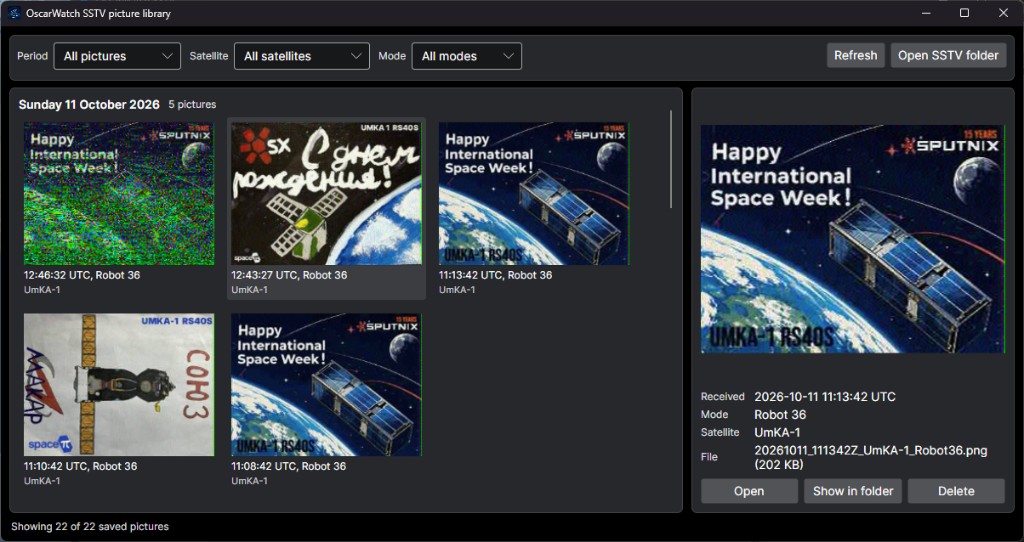
Every picture, kept and sorted
Each finished picture is saved for you and added to the picture library, so a busy pass never means a lost picture.
- Saved as PNG, named with the UTC time, satellite and mode
- Grouped by day, newest first
- Filter by date, satellite and mode
- Show in folder or delete from the library
Catch your first picture
- 1 Download and install OscarWatch Tracker. It is free.
- 2 Connect your receiver audio to the PC, then open Tools and choose OscarWatch SSTV.
- 3 Press Settings and pick the input device. Open the squelch and turn off noise reduction on the radio.
- 4 Press Start, or let it start when the satellite rises, and watch the picture build line by line.